
- Purchase request
- Approval
- Purchase order
- Goods receipt
- Supplier invoice
AI-assisted ERP for growing businesses
Connect your finance, operations, and people—all in one intelligent ERP
Work in natural language with a built-in AI assistant across finance, sales, purchasing, inventory, projects, service, HR and payroll. Ask for answers, create records, prepare reports and move supported work forward from one connected platform.
AI across connected modulesPermission-aware actionsReal-time reporting
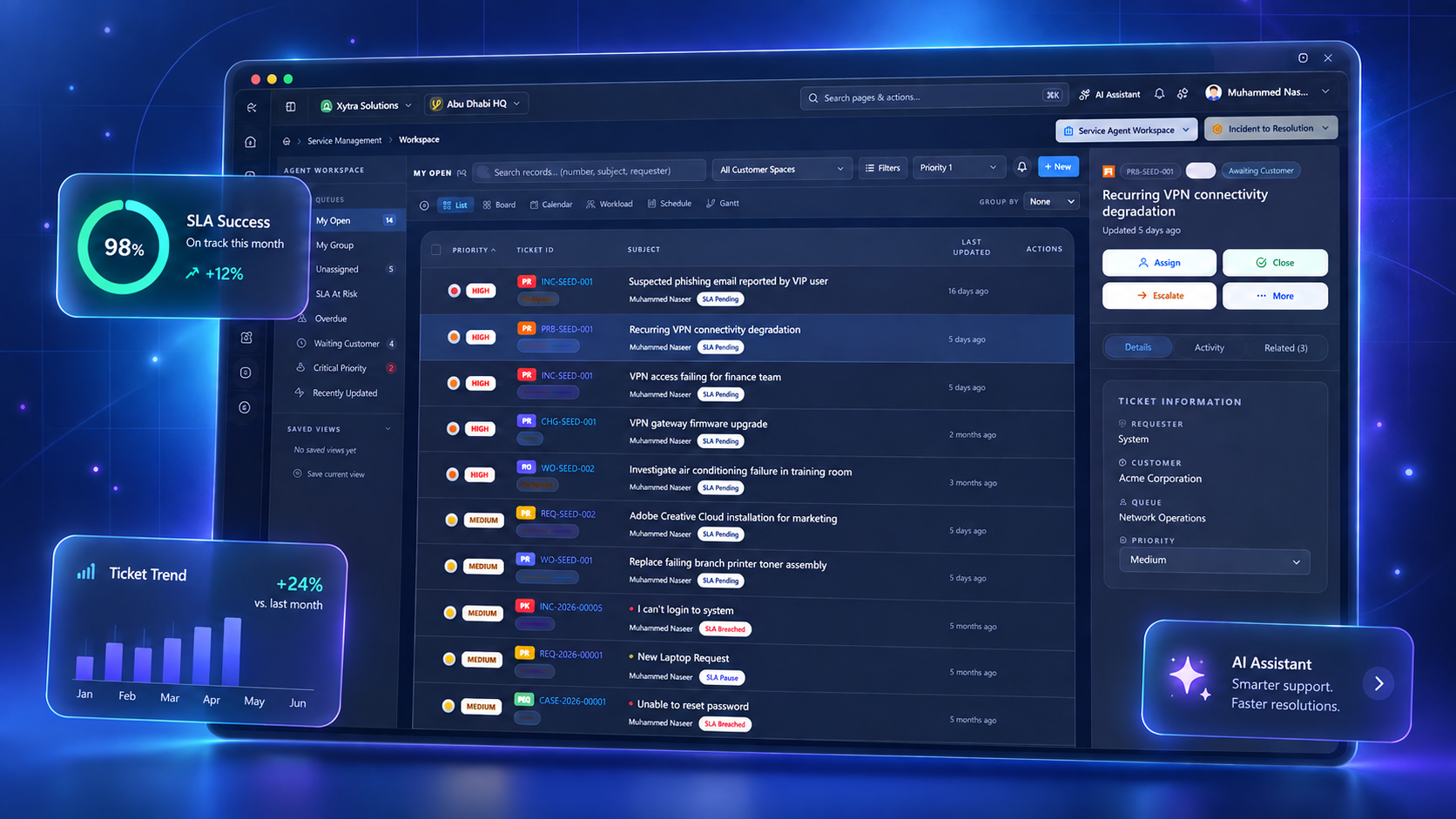
Move beyond menu-heavy ERP. Ask, analyse and complete supported work through one connected, AI-assisted platform.
- Ask in natural language
- Create and update records
- Analyse and report
CONNECTED WORKFLOWS
One process from request to result.
Teams keep their own workspace while information moves through a shared operational core.
- Quotation
- Sales order
- Pick & ship
- Customer invoice
- Project work
- Time & cost
- Project billing
- Finance
- Payroll review
- Approval
- General ledger
- Business question
- AI-assisted report
- Human review
- PDF or Excel
9 CONNECTED MODULE AREAS
Start with the core. Add what your teams need.
Explore each area for practical capability details and availability notes.
01
Finance
GL, receivables, payables, reconciliation, budgets, fixed assets and multi-currency.
Explore Finance →02Sales & Distribution
Quotes, orders, pricing, fulfilment, invoicing, returns and POS.
Explore Sales →03Purchasing & Inventory
Approvals, POs, receipts, invoice matching, warehouses, lots and serials.
Explore Operations →04CRM
Leads, accounts, contacts, opportunities, activities and email connections.
Explore CRM →05Service Management
Cases, incidents, requests, queues, SLAs, escalations and work orders.
Explore Service →06Projects
WBS, resources, time, cost, forecasting, subcontracts and billing.
Explore Projects →07HR
Employee records, organisation, attendance, leave, skills and training.
Explore HR →08Payroll
Payroll processing, approvals, payslips and approved posting to finance.
Explore Payroll →09Reporting, Analytics & AI
Reports, pivots, document layouts, exports and AI-assisted design.
Explore Reporting →AI ACROSS THE ERP
Ask, analyse and act across your business.
The built-in Xytra AI Assistant works across connected modules, helping people complete ERP work in natural language without giving up role-based access, approvals or human control.
- Ask questions across finance, sales, inventory, projects, service, HR and payroll.
- Create drafts and supported records from a clear request.
- Analyse operational data and prepare reports, charts and summaries.
- Move approval and workflow tasks forward with explicit confirmation.
- Keep actions aligned with each user’s permissions and available business data.
AI-assisted actions respect configured roles and controls. Sensitive actions require review and confirmation.
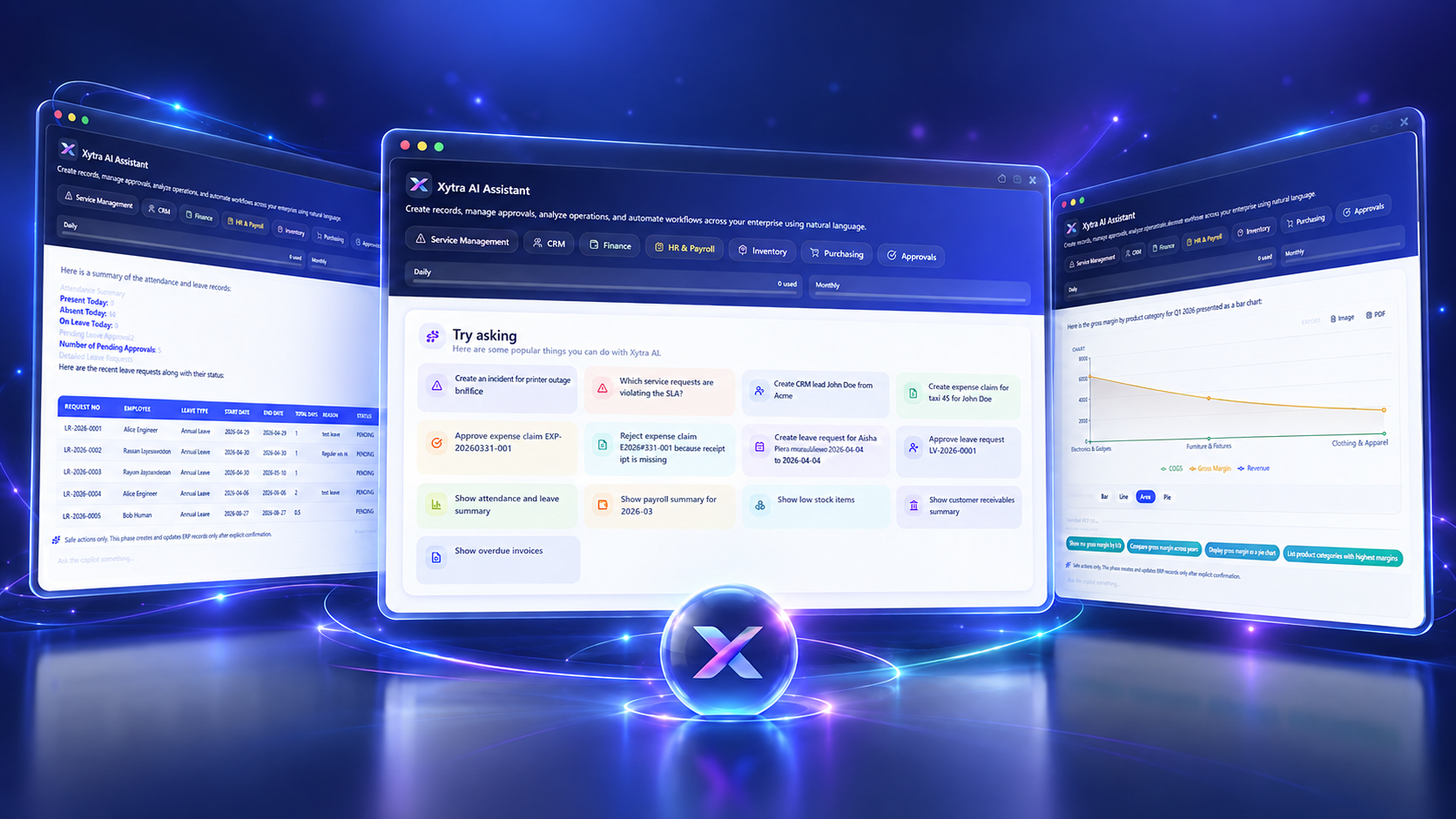
PRODUCT WALKTHROUGH
See connected work in context.
The preview above is illustrative. Book a guided session to see current product screens, workflows and configuration options using a scenario relevant to your team.
WHO XYTRA ONE IS FOR
For businesses ready to connect operational depth with financial control.
Growing multi-team businesses
Bring sales, operations, projects and people onto a shared system.
Multi-company operations
Manage companies, branches, currencies and access from one platform.
Process-led teams
Use approvals, status controls and transaction histories where supported.
TRANSPARENT PRICING
Choose the coverage you need.
All prices are USD per user. Annual billing uses the same monthly rate with no invented discount.
IMPLEMENTATION & ONBOARDING
A clear path from evaluation to everyday use.
Scope and timing depend on data, integrations, configuration and team readiness. We confirm these before implementation begins.
Evaluate
Use a one-user, 30-day trial or see a guided demo.
Plan
Confirm modules, users, data, processes and integrations.
Prepare
Configure the workspace, migrate agreed data and train key users.
Launch & support
Move into production with the agreed rollout and support scope.
CONTROL & INTEGRATIONS
Built around business roles and connected work.
Xytra One supports tenant-aware data handling, role-based access controls, configurable approval workflows and audit history for supported transactions.
Discuss your requirements →IdentitySupabase authentication and Microsoft Entra ID SSO are supported paths.
EmailSupported connections include Microsoft 365, Gmail and IMAP in applicable workflows.
Data & documentsPostgreSQL-backed records, file storage, and PDF/Excel outputs for supported processes.
Deployment reviewSecurity, infrastructure and integration requirements are confirmed during implementation.
FREQUENTLY ASKED QUESTIONS
Practical answers before you start.
What is included in the 30-day free trial?
One user receives 30 days of evaluation access to currently available Xytra One modules. The workspace requires business-email verification and successful provisioning.
Is the trial limited to one user?
Yes. The standard self-service evaluation is limited to one user. Contact us if your evaluation requires a wider team.
Is a credit card required?
The trial registration does not collect card details. A paid subscription uses secure hosted checkout.
What happens when the trial ends?
Trial access expires after 30 days. You can upgrade during the trial to retain the same tenant and data, subject to the subscription terms.
Can I retain my trial data after purchasing?
The upgrade integration is designed to preserve the existing tenant, company data and user account. Confirm any migration or retention requirement before relying on trial data for production.
What is included in Xytra Core?
Platform and administration, basic data, finance, sales and distribution, purchasing, and inventory.
What is included in the $35 Full Access plan?
All currently available module areas: Core, finance, sales and distribution, purchasing, inventory, CRM, service management, projects, HR, payroll, advanced reporting and BI, and available built-in AI assistance.
Can I choose individual modules?
Yes. Start with Xytra Core at $15 per user/month and add CRM, Service Management, Projects, HR, Payroll, or Advanced Reporting and BI for $5 per user/month each.
Are implementation and data migration included?
No. Implementation, migration, customisation, training and special integrations are scoped separately based on your requirements.
How long does onboarding take?
There is no single standard duration. Timing depends on company structure, data quality, modules, integrations, configuration and training needs.
Does Xytra One integrate with Microsoft 365 and support Entra ID SSO?
Microsoft 365 email connections and Microsoft Entra ID SSO are supported. Their setup and applicability are confirmed during implementation.
How is customer data separated?
The application uses tenant-aware architecture and company scoping. Your deployment and security requirements should be reviewed as part of implementation.
What support is available?
Support coverage is agreed with your subscription and implementation scope. Contact us for the current service options.
Can I cancel or change the number of users?
Subscription changes and cancellation are governed by the Subscription Terms and the billing controls available with your account. Confirm any minimum terms before purchase.
READY TO EVALUATE XYTRA ONE?
Connect your next business process.
Start with one user for 30 days, compare plans, or ask for a guided product demonstration.